

WhatsApp Channels have become an important way for creators, organizations, businesses, celebrities, and communities to share information with large audiences. Unlike regular WhatsApp chats and groups, Channels are designed for one-way broadcasting, allowing followers to receive updates without joining a traditional conversation.
Since their global introduction, WhatsApp Channels have continued to develop with new discovery, engagement, privacy, and monetization features. Recent improvements have made the Updates tab more useful for discovering channels, following creators, and accessing information while keeping personal conversations separate.
What Are WhatsApp Channels?
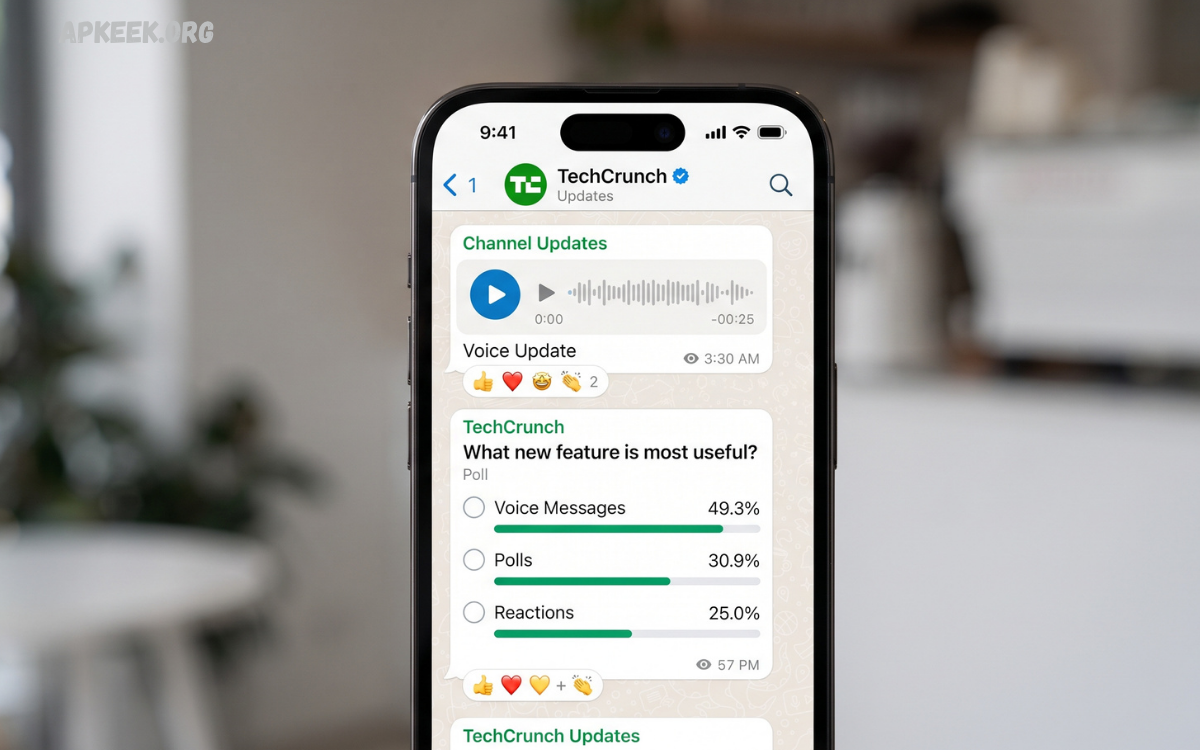
WhatsApp Channels are a one-way broadcasting feature that allows individuals and organizations to send updates to followers. Channel administrators can publish text, images, videos, stickers, links, audio, and polls, while followers can react to updates or participate in polls.
Channels are located inside the Updates tab rather than the regular Chats section. This separation helps keep broadcast content apart from private conversations, making Channels suitable for news, entertainment, sports, education, business announcements, and creator updates.
Latest WhatsApp Channels Updates
One of the biggest developments is the introduction of channel subscriptions, promoted channels, and advertising experiences within the Updates tab. These features are designed to help users discover relevant content while giving channel administrators additional ways to build and support their audiences.
Meta announced that channel subscriptions can allow followers to support favorite channels through monthly payments and receive exclusive updates. Promoted Channels can also improve visibility in the Channels directory, though availability may vary by country and rollout stage.
WhatsApp Channel Subscriptions
Channel subscriptions are designed for creators, organizations, and other administrators who want to offer exclusive content to their most dedicated followers. Where available, users can pay a monthly fee to access updates that are reserved for subscribers.
This feature creates an additional opportunity for channels to develop a stronger relationship with their audiences. Instead of relying only on public updates, eligible channel owners can provide special announcements, exclusive information, or premium content to paying followers.
Promoted Channels
Promoted Channels are another important development in WhatsApp Channels. They are intended to help channel administrators increase their visibility by appearing more prominently in the Channels discovery experience.
For users, promoted recommendations can make it easier to discover channels related to their interests. For creators and organizations, increased visibility can help attract new followers and expand the reach of their published updates. Availability of promoted channels depends on regional rollout and eligibility.
New Content Options for Channel Admins
WhatsApp Channels support several types of content, giving administrators flexibility when communicating with followers. Text is useful for announcements, while images and videos can make updates more engaging and visually appealing.
Admins can also use stickers, links, audio, and polls to make their channels more interactive. Polls are especially useful when administrators want to understand audience preferences or collect quick feedback without turning the Channel into a traditional chat.
Reactions and Audience Engagement
Followers cannot directly reply to Channel updates like they can in normal WhatsApp conversations. Instead, WhatsApp provides engagement options such as emoji reactions and poll voting, allowing audiences to respond without creating an open discussion.
These lightweight interactions can help administrators understand which updates receive attention. Reactions can also make Channels feel more interactive while preserving the one-way broadcasting structure that separates them from groups and personal chats.
WhatsApp Channels Privacy Features
Privacy remains an important part of the WhatsApp Channels experience. When users follow a channel, their phone number is not revealed to the channel administrator or other followers simply because they followed the channel.
WhatsApp also keeps Channels separate from personal messaging. Personal WhatsApp messages continue to have their own privacy protections, while Channels operate as a public broadcasting feature. Users can decide which channels they want to follow and can unfollow channels whenever they choose.
How WhatsApp Channels Help Creators
Creators can use WhatsApp Channels to communicate directly with an audience that already uses WhatsApp regularly. Instead of depending entirely on social media feeds, creators can publish announcements, behind-the-scenes content, news, videos, and other updates through a dedicated channel.
Channels can also complement other platforms by giving creators another place to maintain audience engagement. The addition of subscriptions and improved discovery features creates more opportunities for eligible creators to grow their following and potentially build additional revenue streams.
Read Also: Best Online Earning Apps for Making Money from Your Smartphone
WhatsApp Channels for Businesses and Organizations
Businesses and organizations can use Channels to distribute announcements, product information, event updates, educational material, and other public communications. The one-way format can be useful when an organization needs to reach a large audience without managing a large group conversation.
WhatsApp has increasingly positioned the Updates tab as a place where users can discover channels, businesses, and other content while keeping personal chats separate. This approach allows public discovery and business-oriented experiences to develop without being placed directly within private conversations.
WhatsApp Channels for News and Sports
News publishers and sports organizations can use Channels to deliver timely information to followers. Short updates, images, videos, polls, and links can make the format useful for breaking information, match-related content, announcements, and highlights.
Sports content has also become an important part of Meta’s WhatsApp strategy. In 2026, Meta highlighted WhatsApp as one of its platforms for football-related content, including athlete material, match content, and fan experiences surrounding major football events.
WhatsApp Channels and the Updates Tab
The Updates tab is the central location for WhatsApp Status and Channels. This creates a dedicated area where users can discover public updates without mixing them with their personal conversations.
Meta has stated that the Updates tab is used by 1.5 billion people globally each day, making it an important part of WhatsApp’s broader ecosystem. The introduction of subscriptions, promoted channels, and ads in Status shows how WhatsApp is expanding the section’s purpose.
How to Find and Follow WhatsApp Channels
Users can discover Channels through the directory and search experience within WhatsApp. Channels may also be discovered through sharing, recommendations, and external references, depending on the available features and region.
Before following a channel, users can generally view its available content and decide whether it matches their interests. Following is optional, and users can unfollow a channel whenever they no longer want to receive its updates.
How to Create a WhatsApp Channel
Creating a WhatsApp Channel allows an administrator to share one-way updates with an audience of any size. Channel owners can publish different forms of content, including text, images, videos, stickers, links, audio, and polls.
A successful channel should have a clear topic, recognizable identity, and consistent publishing schedule. Administrators should also focus on useful, relevant information, as high-quality content is more likely to keep followers engaged over time.
WhatsApp Channels Notifications
Notifications for Channels are designed to give users control over how they receive updates. By default, channel notifications are muted, meaning users can browse their followed channels without necessarily receiving a notification for every new post.
Users who want immediate alerts can enable notifications for individual channels. This approach gives followers more control and helps prevent a large number of updates from disrupting their normal WhatsApp experience.
WhatsApp Channels vs WhatsApp Groups
WhatsApp Channels and WhatsApp Groups serve different purposes. A Group is designed for conversations among members, while a Channel is primarily designed for administrators to broadcast updates to followers without creating a traditional discussion.
Channels are therefore better suited to announcements, public updates, creator content, news, and large-scale communication. Groups remain more appropriate when members need to communicate with one another and participate in ongoing discussions.
Future of WhatsApp Channels
WhatsApp Channels are gradually becoming more than a simple broadcasting tool. Features such as subscriptions and promoted channels indicate a broader direction toward creator discovery, audience growth, and monetization within the Updates tab.
As WhatsApp continues expanding Channels, users may see additional improvements in discovery, engagement, content management, and business communication. However, specific features can differ by country, account, and rollout stage, so not every feature will necessarily be available to everyone at the same time.
Frequently Asked Questions
What are WhatsApp Channels?
WhatsApp Channels are a one-way broadcasting feature that allows administrators to share updates with followers. They can publish text, images, videos, stickers, links, audio, and polls without creating a normal group conversation.
Are WhatsApp Channels free to follow?
Following a WhatsApp Channel is generally free. However, some channels may offer paid subscriptions where available, allowing followers to receive exclusive subscriber-only updates.
Can followers reply to WhatsApp Channel messages?
Followers cannot directly reply to channel updates in the same way they can in regular WhatsApp chats. They can interact through emoji reactions and participate in polls when those options are provided.
Can WhatsApp Channel admins see followers’ phone numbers?
Following a channel does not reveal a follower’s phone number to the channel administrator or other followers. WhatsApp provides privacy controls designed to protect follower information.
Can I create my own WhatsApp Channel?
Yes, WhatsApp provides tools for creating Channels. Channel owners can publish one-way updates and share different types of content with their followers.
What can I post on a WhatsApp Channel?
Channel administrators can publish text, images, videos, stickers, links, audio, and polls. These options allow creators, businesses, and organizations to choose the format that best suits their audience.
Are WhatsApp Channels private?
WhatsApp Channels are public broadcasting spaces rather than private conversations. However, WhatsApp provides privacy protections for followers and keeps Channels separate from personal chats and calls.
What are Promoted Channels on WhatsApp?
Promoted Channels are designed to improve channel discovery by helping administrators increase visibility within the Channels directory. The feature may not be available in every country or for every channel.
What are WhatsApp Channel subscriptions?
Channel subscriptions allow eligible channels to offer exclusive updates to followers who pay a monthly subscription fee. Availability and specific subscription options can vary by country and channel.
Are WhatsApp Channels available everywhere?
WhatsApp Channels were launched globally in more than 150 countries, but individual features may still vary in availability by location, account, and rollout stage.
Conclusion
WhatsApp Channels have evolved into an important communication and discovery feature within WhatsApp. From basic text and media broadcasting to polls, reactions, improved discovery, subscriptions, and promoted channels, the platform now provides more opportunities for creators, organizations, businesses, and public figures to reach audiences.
The latest developments also show WhatsApp’s effort to expand the Updates tab while keeping personal chats separate.
