

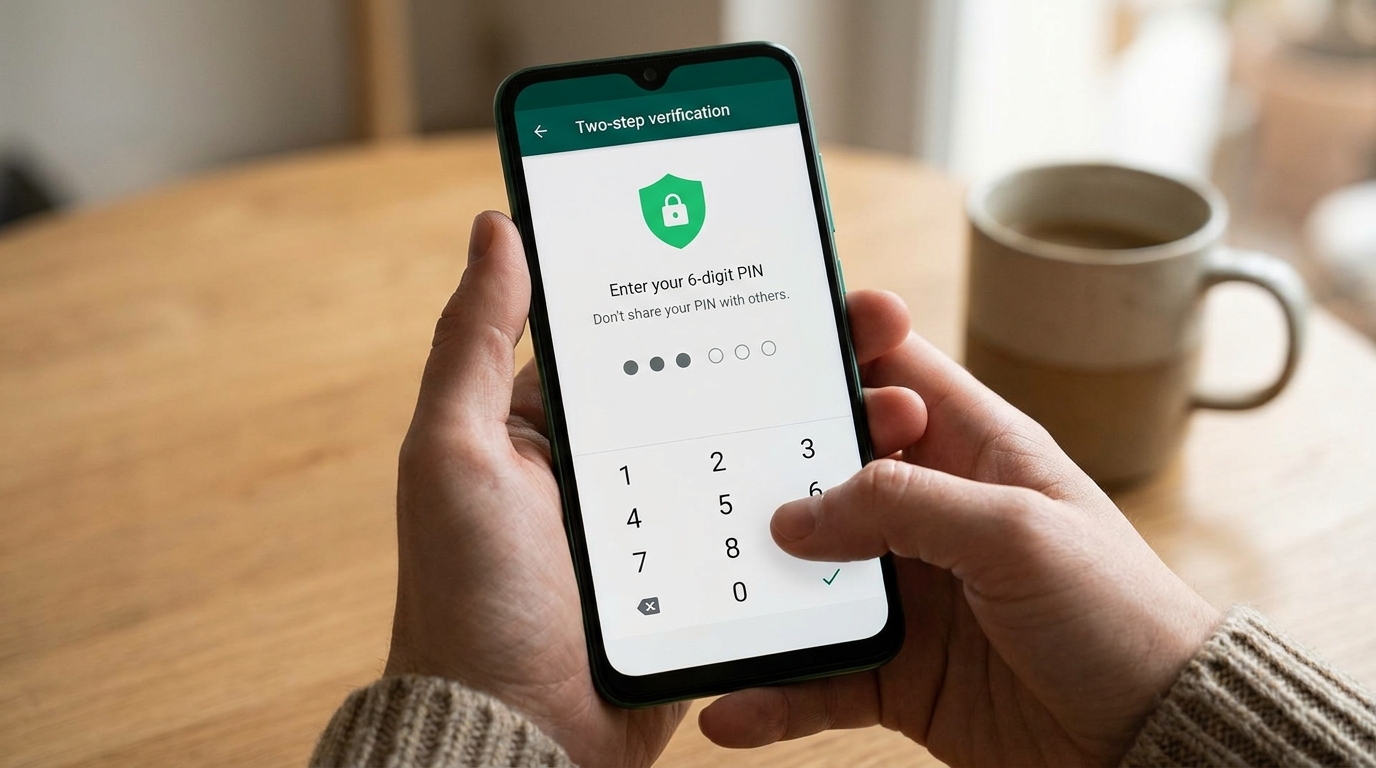
WhatsApp Two-Step Verification is a key security feature that protects personal accounts from unauthorized registration. It adds an extra layer of protection through a personal security PIN.
This feature helps users maintain better control over their accounts and private conversations. It also provides additional protection when someone attempts to register an existing phone number.
What Is WhatsApp Two-Step Verification?
WhatsApp Two-Step Verification is an optional security feature that requires a personal PIN during certain account registration processes. This PIN works separately from the regular SMS verification code.
The feature makes unauthorized account registration harder because knowing the phone number or receiving the verification code may not be enough. Users must also provide the additional security information.
Why WhatsApp Two-Step Verification Is Important
WhatsApp accounts contain personal conversations, photographs, contacts, and important information. Protecting account registration reduces the risk of unauthorized access and account misuse.
Two-Step Verification adds another security requirement that improves account protection. It also encourages users to develop better digital security habits and protect confidential information.
How WhatsApp Two-Step Verification Works
WhatsApp uses a phone-number verification code to confirm account registration. When Two-Step Verification is enabled, the application may also request the personal PIN associated with that account.
The verification code and security PIN perform different functions. Together, they provide an additional layer of protection during the registration process.
Main Benefits of WhatsApp Two-Step Verification
The biggest advantage of WhatsApp Two-Step Verification is improved account security. A personal PIN makes unauthorized registration harder, especially if someone gets access to a phone-number verification code.
Another benefit is better account management. Users can create a personal PIN, add a recovery email, and manage their security information directly through WhatsApp settings.
How to Enable WhatsApp Two-Step Verification on Android
Android users can activate this security feature directly through WhatsApp account settings. The process is simple and doesn’t require installing another app.
Follow these steps:
- Open WhatsApp.
- Tap the three-dot menu.
- Select Settings.
- Open Account.
- Choose Two-step verification.
- Tap Turn on.
- Create your security PIN.
- Add a recovery email address.
How to Enable WhatsApp Two-Step Verification on iPhone
iPhone users can also activate Two-Step Verification through the WhatsApp settings menu. The available options provide similar account protection across supported devices.
Follow these steps:
- Open WhatsApp.
- Tap Settings.
- Select Account.
- Choose Two-step verification.
- Tap Enable.
- Create your security PIN.
- Add your recovery email.
- Complete the displayed instructions.
How to Create a Strong WhatsApp Security PIN
A strong security PIN helps protect your account against unauthorized registration attempts. Avoid simple number combinations, repeated digits, birthdays, or other easily guessed information.
Choose a PIN you can remember without making it obvious to others. Never share your security information through messages, phone calls, or suspicious requests.
How to Add a Recovery Email Address
A recovery email address can help users regain access when they forget their WhatsApp Two-Step Verification PIN. It provides an additional recovery option during supported account recovery processes.
Choose an email account you access regularly, and keep its password secure. Follow WhatsApp’s verification instructions to confirm the recovery email address.
How to Change WhatsApp Two-Step Verification PIN
WhatsApp allows users to manage their existing security PIN through account settings. Changing the PIN can help if you believe someone else knows your current security information.
Open Settings, select Account, and choose Two-step verification. Select the change PIN option and follow the instructions to create new security information.
How to Change Your Recovery Email Address
An updated recovery email makes account recovery more convenient. If you stop using your previous email account, consider replacing it with an address that you can access regularly.
Open WhatsApp Two-step verification settings and select the available email management option. Enter your new email address and complete any requested verification steps.
How to Disable WhatsApp Two-Step Verification
WhatsApp provides an option to disable Two-Step Verification through account settings. However, keeping this feature enabled is generally recommended for stronger account protection.
Open Settings, select Account, and choose Two-step verification. Select Disable if available, then follow the confirmation instructions WhatsApp displays.
What Happens When You Forget Your WhatsApp PIN?
Forgetting your WhatsApp PIN can make it difficult to register your account again. Fortunately, WhatsApp offers recovery options depending on your account settings and available recovery information.
If you previously added a verified recovery email, you may be able to reset your PIN through email instructions. Without a recovery email, WhatsApp may require you to wait.
How to Reset a Forgotten WhatsApp PIN Using Email
A verified recovery email can make the PIN recovery process easier. During account verification, select the option that says you forgot your PIN, if it appears.
Follow the reset instructions sent to your recovery email address. After completing the process, create new security information and keep it private.
What If You Did Not Add a Recovery Email?
Users without a verified recovery email may need to follow WhatsApp’s alternative recovery process. Depending on the circumstances, the application may require a waiting period before allowing a PIN reset.
Avoid repeatedly guessing your PIN or using unofficial recovery services. Follow the instructions provided inside WhatsApp and add a verified recovery email after regaining access.
WhatsApp Two-Step Verification and Account Security
Account security matters because messaging apps contain personal conversations and private information. Two-Step Verification adds an extra barrier to unauthorized account registration.
However, this feature cannot prevent every type of online threat. Users should also secure their devices, protect their email accounts, and avoid sharing confidential verification information.
Difference Between WhatsApp Verification Code and PIN
The verification code confirms access to a phone number during account registration. The Two-Step Verification PIN adds an extra security requirement for the account.
| Feature | Verification Code | Security PIN |
|---|---|---|
| Purpose | Phone number verification | Additional account protection |
| Format | Temporary code | Personal PIN |
| Usage | Account registration | Additional verification |
| Created by | User | |
| Sharing | Must remain private | Must remain private |
WhatsApp Two-Step Verification on a New Phone
When changing smartphones, users generally need to register their existing WhatsApp account using the same phone number. The application may request the existing Two-Step Verification PIN during registration.
Before changing devices, make sure your phone number remains active and your recovery email is accessible. Keeping these details updated can make account registration easier.
WhatsApp Two-Step Verification and SIM Card Security
Your mobile number plays an important role in WhatsApp account registration. Someone who gains unauthorized control of your SIM card may attempt to receive account verification codes.
Two-Step Verification adds another security requirement that can help reduce this risk. Contact your mobile network provider if you notice unexpected SIM-related activity or lose access to your number.
WhatsApp Two-Step Verification and Email Security
Your recovery email is an important part of account protection. If someone gains access to your email account, your recovery information may also become vulnerable.
Use a strong email password and enable additional account security where available. Never share email verification codes or confidential recovery information with other people.
Read Also: Best MCX Commodity Telegram Channel
How to Protect WhatsApp From Unauthorized Access
Protecting WhatsApp requires several security practices, not just one feature. Users should regularly review their account settings and stay alert for unexpected messages.
Important security tips include:
- Enable Two-Step Verification.
- Keep your recovery email updated.
- Never share verification codes.
- Use a secure phone lock.
- Review linked devices.
- Avoid suspicious messages.
- Keep WhatsApp updated.
How to Check WhatsApp Linked Devices
WhatsApp supports linked devices that allow users to access their accounts on compatible computers and other devices. Reviewing connected sessions helps users identify unfamiliar account activity.
Open WhatsApp Settings and select Linked Devices. Review the displayed sessions and log out of any device you don’t recognize or no longer use.
WhatsApp Two-Step Verification and Personal Privacy
Personal privacy is an important part of a secure messaging experience. Users should manage their account settings carefully to control access to personal information.
WhatsApp offers privacy options for profile photographs, last seen information, online status, and group invitations. Combining these settings with Two-Step Verification can improve overall account protection.
Common WhatsApp Two-Step Verification Problems
Some users have trouble activating or managing Two-Step Verification. Common issues include forgotten PINs, inaccessible recovery emails, verification delays, and outdated application versions.
Check your internet connection and update WhatsApp when necessary. If the problem continues, follow the recovery instructions available through official WhatsApp support.
WhatsApp Two-Step Verification Password Upgrade
WhatsApp has introduced an upgraded password experience intended to provide stronger account protection. Depending on availability, users may be able to create longer passwords containing letters, numbers, and special characters.
The upgraded option may roll out gradually across accounts and app versions. Check your Two-step verification settings for available options and follow the instructions displayed by WhatsApp.
Is WhatsApp Two-Step Verification Available for Everyone?
WhatsApp Two-Step Verification is designed for users who want additional protection for their accounts. Android and iPhone users can generally access this feature through account settings.
Options may vary by app version, account circumstances, and feature availability. Keeping WhatsApp updated helps users access supported security improvements.
Does WhatsApp Two-Step Verification Protect Messages?
Two-Step Verification primarily protects account registration, not individual conversations. It adds another authentication requirement when someone attempts to register an existing phone number.
WhatsApp also provides end-to-end encryption for personal messages and calls. These protections serve different purposes and contribute to a safer messaging experience.
Best Practices for Managing WhatsApp Security
Good security habits help users maintain better control over their accounts. Regularly review verification settings, recovery information, linked devices, and available privacy options.
Never share your PIN, password, or registration code with anyone. Keep your phone updated and use a secure screen lock to reduce unauthorized access.
Frequently Asked Questions
What Is WhatsApp Two-Step Verification?
WhatsApp Two-Step Verification is an optional security feature that adds a personal PIN requirement during certain account registration processes. It helps prevent unauthorized registration.
How Do I Enable WhatsApp Two-Step Verification?
Open WhatsApp Settings, select Account, and choose Two-step verification. Tap Enable or Turn on, create your PIN, and add a recovery email.
Is WhatsApp Two-Step Verification Free?
Yes, this is a built-in WhatsApp security feature. Users don’t need to buy a subscription or install another app.
Can I Change My WhatsApp Verification PIN?
Yes, you can change your security PIN through WhatsApp account settings. Open Two-step verification and follow the available instructions.
What Happens If I Forget My WhatsApp PIN?
You can use WhatsApp’s recovery process. A verified recovery email may help you reset your PIN more conveniently.
Is a Recovery Email Necessary?
A recovery email isn’t always required, but adding one is recommended. It can help users regain access when they forget their security PIN.
Does Two-Step Verification Prevent Hacking?
It provides additional protection against unauthorized account registration. However, users should also protect their devices and avoid sharing verification codes.
Can I Use WhatsApp Without Two-Step Verification?
Yes, this feature is optional. However, enabling it adds an extra layer of security to your account.
Does WhatsApp Ask for the PIN Every Time?
No, WhatsApp does not normally ask for the PIN every time you open the app. It may periodically display PIN reminders.
Can I Enable Two-Step Verification on Android and iPhone?
Yes, both Android and iPhone support this security feature. The settings interface may look slightly different across devices.
Conclusion
WhatsApp Two-Step Verification is a valuable security feature that adds another layer of protection during account registration. Your personal PIN makes unauthorized account access more difficult.
Enable this feature, keep your recovery email updated, and protect your verification information. These simple practices can improve account security and help protect personal conversations.
