

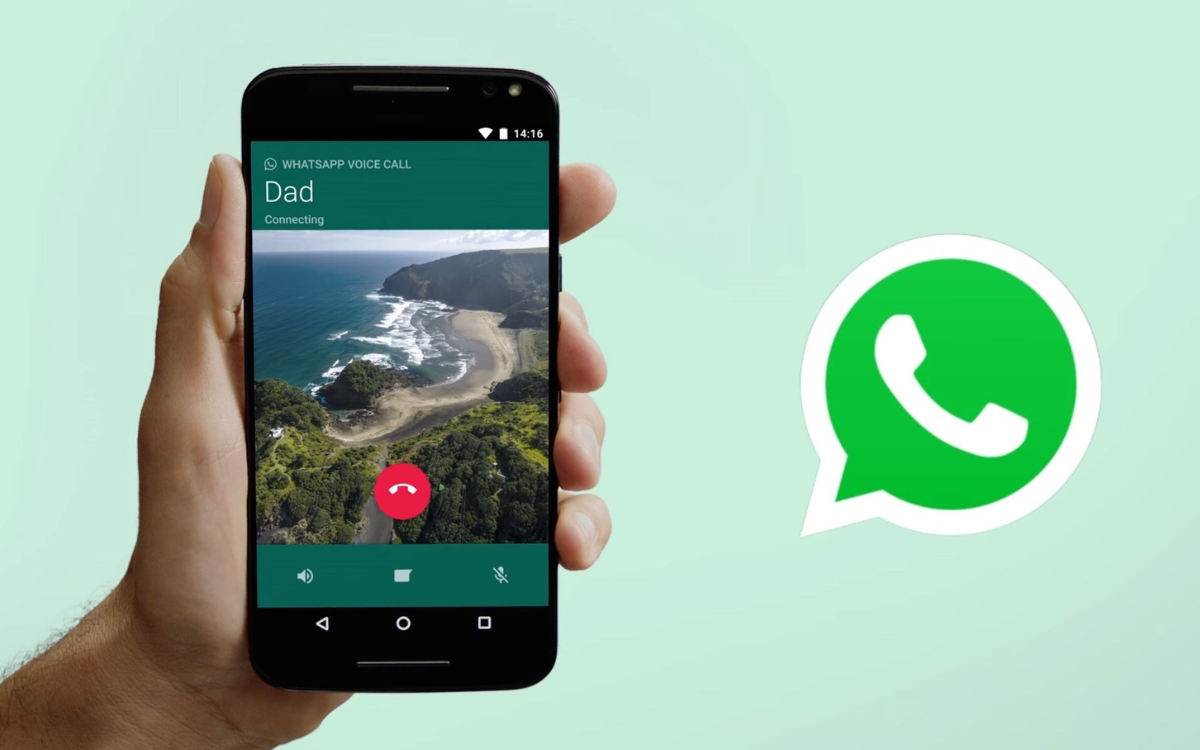
WhatsApp Call offers a convenient way to connect with friends, family, and colleagues through voice and video. Users can make calls through an internet connection without relying on traditional mobile calling services.
WhatsApp Call supports communication across different countries, making international conversations easier. Its simple interface, calling controls, and privacy features help users enjoy a convenient communication experience.
What Is a WhatsApp Call?
WhatsApp Call is an internet-based calling feature that lets users communicate by voice and video. It works through Wi-Fi or mobile data, allowing conversations without traditional cellular calling minutes.
The feature is available in WhatsApp conversations and supports individual and group communication. Users can start calls directly from chats, making communication simple and accessible.
How WhatsApp Calls Work
WhatsApp Call uses an internet connection to transmit voice and video between connected devices. When someone starts a call, WhatsApp connects participants through its calling system.
A stable internet connection helps maintain clear audio and smooth video. Network quality, device performance, and available bandwidth can influence the overall calling experience.
How to Make a WhatsApp Voice Call
Making a WhatsApp voice call requires an active account and internet connection. Users can start conversations directly through individual chats without complicated settings.
Open WhatsApp, select a contact, and tap the phone icon near the top of the conversation screen. The app will connect the call with the selected person.
How to Make a WhatsApp Video Call
WhatsApp video calling allows users to communicate through live video. This feature makes conversations more interactive because participants can see each other during communication.
Open an individual conversation and tap the video camera icon. Once the other person answers, the video conversation begins, provided both devices have a stable internet connection.
WhatsApp Call Features
WhatsApp Call includes several useful features designed to improve everyday communication. These options make voice and video conversations convenient for personal and professional communication.
Users can access calling controls, manage participants, switch between voice and video, and review call information. Available features vary by device, app version, and call type.
WhatsApp Voice Calling Features
Voice calling provides a simple communication experience without requiring video. Users can speak with contacts while performing other activities on their devices.
The voice calling interface includes options to mute the microphone, use speaker mode, and end conversations. These controls help users manage calls according to their communication needs.
WhatsApp Video Calling Features
Video calling adds visual communication to regular conversations. It allows participants to share facial expressions and communicate more naturally during personal or professional discussions.
Users can manage camera settings, mute microphones, and switch cameras during supported calls. These options provide greater flexibility throughout video conversations.
WhatsApp Group Calls
WhatsApp group calls allow multiple participants to communicate simultaneously. This feature helps friends, families, classmates, and colleagues stay connected through shared conversations.
Users can start group calls through supported group conversations or add participants during eligible calls. Participant limits and available calling options may vary with application updates.
How to Start a WhatsApp Group Call
Starting a group call is straightforward when participants are available in a group conversation. Users can select the calling option and choose eligible contacts.
Open the desired group, tap the call icon, select participants when prompted, and start the call. Participants can join according to the available calling controls.
WhatsApp Call on Android
Android users can access WhatsApp Call through the official mobile application. The calling interface provides convenient controls for voice conversations, video communication, and group calls.
Users can open chats, select contacts, and start conversations directly. Keeping WhatsApp updated helps maintain compatibility with available calling features and security improvements.
WhatsApp Call on iPhone
iPhone users can enjoy WhatsApp voice and video calling through the iOS application. The interface provides familiar calling controls to manage conversations and connect with contacts.
Users can access individual chats, tap calling icons, and manage active conversations. A stable Wi-Fi or mobile data connection helps improve communication quality.
WhatsApp Call Privacy Settings
Privacy settings help users manage their communication experience and protect personal information. WhatsApp offers several options to control account visibility and manage unwanted communication.
Users can review privacy settings, manage blocked contacts, and control who can access certain account information. Reviewing these options regularly helps maintain better account privacy.
WhatsApp Call Encryption
WhatsApp protects personal communication through end-to-end encryption for supported personal voice and video calls. This technology helps ensure that only communicating participants can access call content.
Encryption provides an important layer of communication privacy. Users should still protect their devices, account verification information, and personal security settings.
How to Mute a WhatsApp Call
Muting a WhatsApp Call temporarily disables microphone audio during an active conversation. This feature becomes useful when background noise could interrupt communication.
During a call, tap the microphone icon to mute your audio. Tap the same icon again to continue speaking with other participants.
How to Switch Between Voice and Video
WhatsApp provides controls for managing supported calling modes. During eligible calls, users can request or switch to video communication depending on available options and participant permissions.
Video controls allow users to manage camera activity during conversations. These options make communication more flexible when participants prefer visual interaction.
How to Use Speaker Mode During a WhatsApp Call
Speaker mode allows users to hear conversations through their device speakers instead of the regular earpiece. This option can make communication more convenient when holding a phone is difficult.
Tap the speaker icon during an active voice or video call. Selecting the option again may return audio to the previous output mode.
WhatsApp Call History
WhatsApp maintains a calling history that helps users review previous conversations. The Calls section displays available incoming, outgoing, and missed call information.
Users can check contact details, review call records, and access available calling options. This feature makes it easier to identify previous communication activities.
How to Delete WhatsApp Call History
Deleting call history helps users organize their calling records. WhatsApp provides options for removing individual entries or clearing available call records.
Open the Calls section and locate the record you want to remove. Use the menu options to delete the selected entry or manage your call history.
How to Block Unwanted WhatsApp Calls
Blocking unwanted contacts helps users manage unwanted communication. When someone repeatedly contacts an account without permission, blocking can give you more control.
Open the contact conversation, access contact information, and select the blocking option. Blocked contacts cannot continue contacting the account through normal WhatsApp messaging and calling.
WhatsApp Silence Unknown Callers Feature
WhatsApp includes a feature called Silence Unknown Callers. It helps reduce interruptions from calls originating from numbers that are not saved in the user’s contacts.
When enabled, eligible unknown calls do not ring normally but can still appear in the Calls list and notifications. This option gives you more control over incoming communication.
How to Enable Silence Unknown Callers
Users can activate this feature through WhatsApp privacy settings. Itis especially useful for people who receive frequent calls from unfamiliar numbers.
Open WhatsApp Settings, select Privacy, and find Calls. Enable Silence Unknown Callers to reduce interruptions from unknown numbers.
WhatsApp Call Notifications
Call notifications inform users about incoming communication. These alerts help identify calls even when WhatsApp is running in the background.
Android and iPhone offer notification settings to manage sounds, banners, and other alerts. Users can adjust these settings according to their preferences and device capabilities.
How to Fix WhatsApp Call Problems
WhatsApp Call problems can occur because of internet interruptions, outdated applications, device permissions, or incorrect settings. Identifying the underlying issue helps users restore normal communication.
Check internet connectivity, update WhatsApp, and review microphone permissions. Restarting the application or device can also resolve temporary calling problems.
WhatsApp Call Not Connecting
A call may fail to connect when internet connectivity becomes unstable. Network restrictions, temporary service interruptions, and outdated application versions can also affect communication.
Switch between Wi-Fi and mobile data to test connectivity. If the problem continues, restart your device and check whether WhatsApp requires an update.
WhatsApp Call Audio Problems
Audio problems can make conversations difficult to understand. Incorrect volume settings, microphone permissions, Bluetooth connections, and network interruptions may affect call quality.
Increase device volume and check microphone permissions. Disconnect unnecessary Bluetooth devices and try another internet connection if the problem continues.
WhatsApp Video Call Not Working
Video calling problems may occur because of camera permissions, weak internet connectivity, or temporary application issues. Device compatibility can also influence available calling features.
Check camera permissions in your device settings and make sure WhatsApp can access the camera. Restart the app and confirm your internet connection stays stable.
Read Also: WhatsApp Passkey: How to Set Up and Secure Your Account
WhatsApp Call Dropping Frequently
Frequent call disconnections can interrupt important conversations. Weak signals, network congestion, and unstable internet connections are common reasons behind dropped calls.
Try moving to an area with stronger connectivity or switching networks. Closing unnecessary apps may also improve device performance during calls.
WhatsApp Call Data Usage
WhatsApp calls use internet data for voice and video communication. Actual consumption depends on call duration, network conditions, device settings, and communication quality.
Voice calls generally consume less data than video calls. Users with limited mobile data may prefer Wi-Fi for longer conversations.
WhatsApp Call on Wi-Fi
Wi-Fi provides another way to make WhatsApp calls without using mobile data allowances. A reliable wireless connection can support convenient voice and video conversations.
Connect your device to a stable Wi-Fi network before starting a call. Network speed and router performance can influence audio clarity and video quality.
WhatsApp Call on Mobile Data
Mobile data lets users make calls without relying on a wireless router. This option is useful when traveling or communicating outside the home.
Check your available data balance before making lengthy calls. Weak mobile signals can reduce call quality or cause unexpected disconnections.
WhatsApp Call While Traveling
WhatsApp calls help users communicate with contacts while traveling internationally. An internet connection lets you talk without relying on traditional international calling plans.
Connect to reliable Wi-Fi or use an appropriate mobile data service. Check roaming charges and available internet plans before using mobile connectivity abroad.
WhatsApp Call for Business Communication
Businesses can use WhatsApp Call to communicate with customers, employees, and professional contacts. Voice conversations help resolve questions that may require immediate discussion.
WhatsApp Business also provides communication tools designed for business accounts. Organizations should use suitable privacy practices when handling customer conversations.
WhatsApp Call for Students
Students can use WhatsApp Call to discuss educational topics, coordinate assignments, and communicate with classmates. Group communication can make collaboration more convenient.
Voice and video calls help students exchange ideas without meeting in person. However, important discussions should remain organized and focused on educational activities.
WhatsApp Call for Families
Family members can use WhatsApp Call to stay connected across different cities and countries. Voice and video communication make regular conversations easier.
Group calls let several family members join together. This feature helps relatives share updates and stay connected despite geographical distance.
WhatsApp Call vs Traditional Phone Calls
WhatsApp calls and traditional phone calls provide different communication experiences. WhatsApp uses internet connectivity, while traditional cellular calls generally operate through mobile network calling services.
| Feature | WhatsApp Call | Traditional Call |
|---|---|---|
| Connection | Internet | Cellular network |
| Voice calling | Yes | Yes |
| Video calling | Yes | Depends on service |
| Data usage | Uses internet data | Usually uses calling plan |
| International communication | Internet-based | Carrier-dependent |
| Group communication | Supported | Carrier-dependent |
Both options offer useful communication methods. The best choice depends on internet availability, network coverage, and individual communication requirements.
WhatsApp Call Advantages
WhatsApp calls provide convenient communication through an existing messaging app. Users can connect with contacts without requiring a separate calling application.
Its voice calling, video communication, group conversations, and privacy features support different communication needs. Internet-based calling can also help reduce traditional international calling expenses.
WhatsApp Call Limitations
WhatsApp calls depend on internet connectivity, so network quality matters. Poor connections can cause delayed audio, unclear video, and interrupted conversations.
Some users may also face restrictions due to device compatibility or regional network conditions. Traditional cellular calling can remain useful when internet connectivity is unavailable.
Tips for Better WhatsApp Call Quality
A stable internet connection plays an important role in maintaining clear communication. Users can improve their calling experience by keeping applications updated and avoiding unnecessary network interruptions.
Use reliable Wi-Fi, keep your device battery charged, and close demanding background apps. Keep microphone and camera permissions enabled when using supported calling features.
Future of WhatsApp Call
Internet-based communication will continue to evolve as mobile technology improves. Better network infrastructure, improved devices, and software updates can support more convenient calling experiences.
WhatsApp may introduce additional calling improvements through future updates. Users should check official release notes to learn about new features and changes.
Frequently Asked Questions
What Is WhatsApp Call?
WhatsApp Call is an internet-based communication feature that supports voice and video conversations. Users can communicate with contacts through Wi-Fi or mobile data.
Is WhatsApp Call Free?
WhatsApp does not charge a separate calling fee for its internet-based calling feature. However, mobile data charges may apply depending on the internet service provider.
Can I Make International WhatsApp Calls?
Yes, WhatsApp supports international voice and video calls through an internet connection. Both participants need compatible devices and access to WhatsApp.
Can I Make WhatsApp Video Calls?
Yes, WhatsApp supports individual and group video calls. Users can access video calling through supported conversations and calling controls.
Why Is My WhatsApp Call Not Connecting?
Connection problems may result from weak internet, outdated applications, or device permission issues. Check your network connection and update WhatsApp to help.
Does WhatsApp Call Use Mobile Data?
Yes, WhatsApp calls can use mobile data when Wi-Fi is unavailable. Video calls generally consume more data than voice calls.
Can I Mute Someone During a WhatsApp Call?
WhatsApp provides microphone mute controls for managing your own audio. It does not generally provide a universal option to mute another participant’s microphone.
How Can I Check WhatsApp Call History?
Open WhatsApp and select the Calls section. Available records show previous incoming, outgoing, and missed calls.
Can I Silence Unknown WhatsApp Calls?
Yes, WhatsApp provides a Silence Unknown Callers setting under Privacy and Calls. It helps reduce interruptions from unfamiliar numbers.
Is WhatsApp Call Secure?
WhatsApp personal voice and video calls use end-to-end encryption. Users should also keep their devices secure and protect their accounts.
Conclusion
WhatsApp calls provide a convenient communication solution for people who prefer internet-based voice and video conversations. Its calling controls, group communication, privacy options, and cross-platform availability make everyday communication easier.
Whether communicating with family, friends, classmates, or professional contacts, WhatsApp offers several useful calling features. Understanding its settings and troubleshooting methods helps users enjoy a smoother communication experience.
