

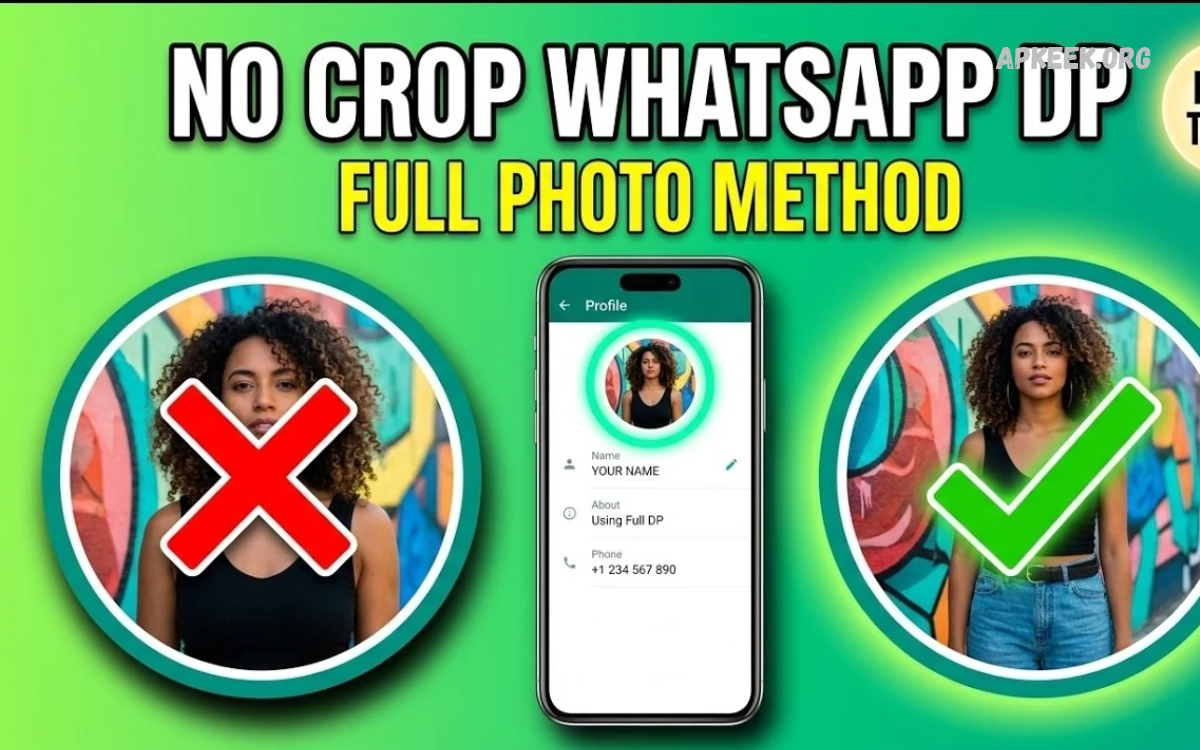
Social media platforms have become an important part of everyday communication. People regularly share profile pictures, status videos, memorable moments, and creative content with friends and followers. However, one common problem users experience is that social media platforms automatically crop images and videos to fit their required dimensions.
A No Crop DP and Status App provides a convenient solution to this problem. It allows users to adjust their pictures and videos without removing important parts of the original content. Whether someone wants to upload a complete profile picture or share a full-size status, these applications make the process easier and more flexible.
What Is a No Crop DP and Status App?
A No Crop DP and Status App is a mobile application that helps users upload profile pictures and share status content without cutting off important parts of their images. It provides different resizing, fitting, background, and editing options to make photos suitable for social media platforms.
The main purpose of this application is to preserve the original appearance of photographs. Instead of removing the edges to fit a square or circular profile format, users can add backgrounds, adjust image sizes, and position pictures correctly. This makes it easier to display complete photographs on platforms such as WhatsApp, Instagram, and other social networking applications.
How Does a No Crop DP and Status App Work?
A No Crop DP and Status App works by adjusting an image or video’s dimensions to meet the requirements of a particular social media platform. When users select a photograph, the application provides editing options to fit the entire picture within the available frame.
For example, if someone selects a vertical photograph for a square profile picture, the application can reduce its size and fill the remaining space with a blurred background or solid color. This technique helps maintain the original image without cutting off important details. Users can then save the edited photograph and upload it to their preferred social media account.
Why Do People Use No Crop DP and Status Apps?
Many social media users prefer displaying their complete photographs rather than uploading cropped versions. Traditional profile picture settings sometimes remove important details, especially when the original photograph has a different aspect ratio.
No Crop DP and Status Apps provide a practical way to solve this issue. They help users create attractive profile pictures, prepare status images, and adjust videos for different platforms. These applications are particularly useful for people who frequently update their social media profiles or share personal photographs.
Main Features of No Crop DP and Status App
A good No Crop DP and Status App usually includes several editing features that make preparing social media content easier. These tools are designed for beginners and users who want more control over their photographs.
Some applications provide basic resizing options, while others include background effects, filters, stickers, and video editing tools. Feature availability depends on the application, but the following options are commonly found.
No Crop Photo Editing
The most important feature is the ability to fit an entire photograph into a selected frame without cutting off its edges. Users can adjust the image position and size according to their preferences.
This feature is especially helpful when preparing WhatsApp DP and Instagram profile pictures. It allows people to display complete photographs while maintaining their original proportions.
Background Blur Effects
Background blur is another popular feature available in many no-crop applications. When an image doesn’t completely fill the selected frame, the app can create a blurred version of the same photo to cover the empty areas.
This effect gives profile pictures a professional appearance without changing the main subject. Users can also choose different background colors and designs depending on the editing options provided.
WhatsApp Status Editing
Many users want to share complete photographs on WhatsApp Status without removing important details. A no-crop app can help resize images and videos to fit the right dimensions.
Some applications also offer tools to add text, stickers, music, and creative effects. These options make it easier to prepare attractive status updates for friends and family.
Video Resizing Tools
Video resizing is useful for people who regularly share short clips on social media. Some applications let users adjust video dimensions while keeping the main content visible.
Depending on the app, users may also find trimming, background filling, and aspect-ratio adjustment tools. These features help prepare videos for different social media formats.
Filters and Photo Effects
Filters and effects can improve the overall appearance of photographs. Many applications provide brightness, contrast, saturation, and color adjustment tools.
Users can experiment with different effects to create attractive profile pictures. However, applying too many filters can make photographs look unnatural, so it is better to maintain a balanced editing style.
Benefits of Using a No Crop DP and Status App
A No-Crop DP and Status App offers several advantages for people who enjoy sharing photos and videos online. Its primary benefit is greater control over how content appears on social media platforms.
Another important advantage is convenience. Instead of using complicated photo-editing software, users can make simple adjustments directly on their smartphones. The following benefits explain why these applications are popular.
Read Also: Best Online Tutoring Websites for Students in 2026
Preserve Complete Photographs
The biggest advantage is the ability to maintain the original appearance of photographs. Users don’t need to remove important details just because an image doesn’t match the required dimensions.
This is particularly useful for group photographs, travel pictures, family memories, and full-body portraits. The complete image can remain visible inside the selected frame.
Create Attractive Profile Pictures
Profile pictures represent users across different social media platforms. A properly adjusted photograph can make a profile look more organized and visually appealing.
No-crop tools let users position their photos correctly and choose suitable backgrounds. This creates a cleaner appearance without requiring advanced editing knowledge.
Save Time and Effort
Editing photographs manually can take considerable time, especially for beginners. No Crop DP and Status Apps simplify this process through ready-made layouts and automatic adjustment options.
Users can select a photograph, choose a suitable format, make a few changes, and save the finished image. This straightforward process makes everyday photo editing more convenient.
Easy to Use for Beginners
Most no-crop applications are designed with simple interfaces. Their editing tools are generally easy to understand, even for people with little photo-editing experience.
Users can learn basic functions such as resizing, rotating, adjusting backgrounds, and applying filters without spending much time learning complicated editing techniques.
How to Use a No Crop DP and Status App
Using a No Crop DP and Status App is generally simple. Although the exact steps may differ between applications, most follow a similar editing procedure.
First, download a suitable application from a trusted app store and open it on your smartphone. Select the photo or video you want to edit and choose the appropriate aspect ratio or social media format.
Best Uses of No Crop DP and Status Apps
These applications can be useful in several everyday situations. Their editing tools aren’t limited to profile pictures, as users can also prepare photos and videos for different social media activities.
For example, someone sharing a family photograph can use a no-crop tool to keep everyone visible. Similarly, travel enthusiasts can prepare landscape photographs without cropping out important scenery.
How to Choose the Best No Crop DP and Status App
Choosing the right application depends on your editing requirements and the features you expect. Some users only need basic image resizing, while others prefer applications that offer video editing and creative effects.
Before installing an application, check its user reviews, ratings, supported formats, and available features. Also consider whether the application adds watermarks or requires a paid subscription for certain editing tools.
Tips for Creating Better No-Crop Profile Pictures
Creating an attractive profile picture requires more than simply adjusting its dimensions. Choosing a suitable photograph and positioning its subject correctly can significantly improve the final result.
Use a clear, high-quality image with good lighting. Make sure the main subject remains visible within the selected frame, particularly when the social media platform displays profile pictures as circles. Choose a background that complements the photograph instead of distracting from it.
Is a No Crop DP and Status App Safe to Use?
Most legitimate photo editing applications can be used safely, but users should always consider privacy and security before installing them. Some applications request access to photographs, videos, storage, or other device information to provide their editing features.
Before downloading an application, check its developer information, privacy policy, and recent user reviews. Avoid applications that request unnecessary permissions or display suspicious advertisements.
Common Problems When Using No Crop Apps
Although these applications make photo editing easier, users may occasionally experience problems. Common issues include reduced image quality, unexpected cropping, watermarks, advertisements, or compatibility problems with certain devices.
To avoid these problems, always begin with a high-resolution original photograph. Select the correct aspect ratio and preview the final image before saving it. If an application does not provide satisfactory results, consider trying another trusted editing tool.
Frequently Asked Questions
What Is a No Crop DP and Status App?
A No Crop DP and Status App is a mobile editing application that helps users resize photographs and videos without cutting off important parts. It is commonly used for preparing profile pictures and social media status updates.
Can I Use a No Crop App for WhatsApp DP?
Yes, you can use a no-crop application to prepare photographs for WhatsApp profile pictures. It helps fit the complete image into a suitable frame using resizing and background options.
Does a No Crop DP App Reduce Image Quality?
Image quality generally depends on the original photograph and the application’s processing method. Using a high-resolution image and avoiding unnecessary compression can help maintain better quality.
Can I Edit Videos With a No Crop Status App?
Some applications support video resizing and editing. Depending on the available features, users may adjust video dimensions, add backgrounds, and prepare clips for social media status updates.
Are No Crop DP and Status Apps Free?
Many no-crop applications offer free basic editing features. However, certain advanced tools, premium backgrounds, and watermark removal options may require payment.
Can I Use No Crop Apps for Instagram?
Yes, these applications can help prepare photographs for Instagram profile pictures and posts. Users can select suitable dimensions and adjust backgrounds to make their images fit better.
How Do I Make a Full Photo Fit Into a Square Frame?
Open the photograph in a no-crop application and select a square aspect ratio. Reduce the image size until the complete photograph becomes visible, then fill the remaining space with a background color or blur effect.
Do No Crop Apps Support Android Devices?
Many no-crop applications are available for Android smartphones. However, compatibility depends on the particular application, Android version, and device specifications.
Can I Add Background Colors to No Crop Pictures?
Yes, many applications provide background customization options. Users can choose solid colors, blurred photos, gradients, and other designs to fill empty space around their pictures.
Which Features Should I Look for in a No Crop App?
Look for image resizing, background customization, video support, high-quality exports, and an easy-to-use interface. Privacy protection and avoiding unnecessary permissions are also important considerations.
Conclusion
A No Crop DP and Status App is a useful solution for people who want to share complete photographs and videos on social media without losing important details. Its resizing tools, background effects, and editing options make it easier to prepare attractive profile pictures and status updates.
Whether you use WhatsApp, Instagram, or other social networking platforms, these applications can simplify everyday photo editing.
