

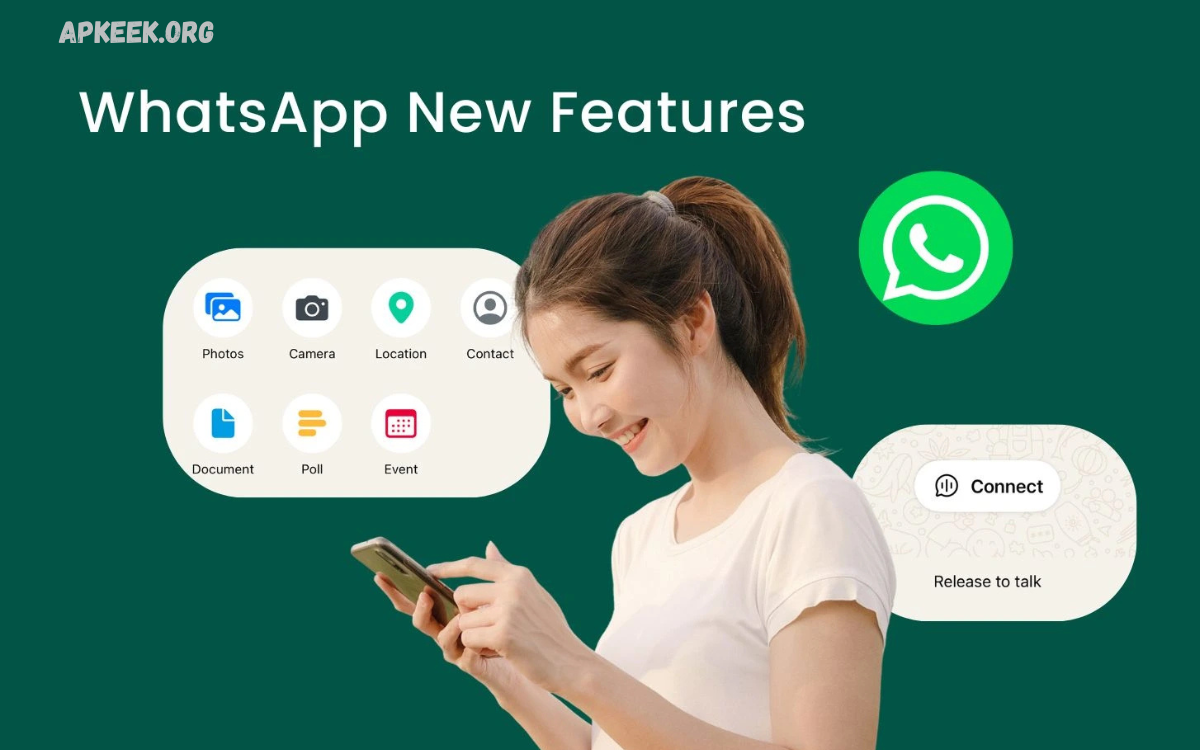
WhatsApp’s latest update for 2026 brings several important changes designed to make messaging, calling, file management, and communication across devices easier. WhatsApp has continued expanding beyond basic text messaging, with improvements focused on calls, connected devices, media, artificial intelligence, and everyday convenience.
Some of the biggest updates introduced during 2026 include WhatsApp Web calling, call transfers between devices, improved noise suppression, iPad account registration, upgraded CarPlay and Android Auto experiences, and better PDF handling.
New WhatsApp Calling Features
One of the most significant parts of the latest WhatsApp update 2026 is the expansion of calling functionality on WhatsApp Web. Users can now make and receive one-to-one and group audio or video calls directly through their browser without downloading a separate desktop application.
WhatsApp has also introduced additional calling improvements, including screen sharing, reactions, a dedicated Calls tab, and access to call history and favorites. WhatsApp says Web calls are end-to-end encrypted and have no time limits, making browser-based calling more useful for work, education, and personal conversations.
Call Transfer and Better Call Quality
Another useful addition is the ability to transfer an active call between devices. For example, a user can start a group call on a smartphone and transfer it to WhatsApp Web or Desktop when they reach a computer, without ending the conversation.
The update also introduces improvements aimed at call quality. WhatsApp has added noise suppression to reduce unwanted background noise and QuickHD to deliver faster high-definition video at the beginning of calls. A waiting-room option for certain group calls also gives hosts more control over who joins.
WhatsApp on iPad Gets More Flexible
WhatsApp’s latest update 2026 also improves the experience for iPad users. WhatsApp has introduced the ability to create an account directly in the iPad application, eliminating the need to first link the account via a phone.
This change makes WhatsApp more convenient for people who primarily use tablets for communication. It also reflects WhatsApp’s broader approach of making the service work more naturally across different devices rather than keeping the smartphone at the center of every setup.
Improved CarPlay and Android Auto Experience
WhatsApp has also upgraded its in-car experience through refreshed CarPlay and Android Auto support. Users can interact with important WhatsApp communication while keeping their attention on the road and using compatible vehicle interfaces.
The updated experience allows users to hear and respond to messages, make calls, view call history, and access favorites. These improvements are particularly useful for people who frequently switch between mobile communication and driving without wanting to handle their phone directly.
Better PDF and Document Handling
Managing documents has also become easier with the latest WhatsApp update 2026. Users can now open PDFs directly within WhatsApp on supported web and desktop experiences without first downloading them to another application.
The updated PDF experience also supports lightweight actions such as highlighting and annotation. This can be helpful for students, employees, freelancers, and businesses that regularly exchange documents through WhatsApp and need to review information quickly.
New Storage Management Tools
WhatsApp conversations can accumulate large numbers of photos, videos, documents, and other media. To address this problem, WhatsApp introduced improved storage management tools that allow users to find and delete large files directly from an individual chat.
The feature can help users remove unnecessary media without deleting the entire conversation. WhatsApp also allows users to clear media while preserving their chat history, giving them more control over storage without losing important messages.
Two WhatsApp Accounts on iPhone
Another important change in 2026 is support for two WhatsApp accounts on iOS. This feature had already been available on Android, but its expansion to iPhone users provides a more convenient way to separate personal and professional communication.
With multiple accounts on a single compatible device, users can manage different numbers without carrying two phones. WhatsApp also uses the profile picture in the interface to help users identify which account they are currently using.
AI Features and Smarter Messaging
Artificial intelligence has become another major part of WhatsApp’s development. In 2026, WhatsApp expanded its AI-powered tools with features designed to help users write messages and improve photos before sending them.
The updated Writing Help feature can generate suggested responses based on the conversation, while Meta AI can assist with photo touch-ups in supported accounts. WhatsApp says these AI features are designed with privacy in mind, although availability can vary by user and region.
Easier Chat Transfer Between Phones
Switching from one smartphone platform to another has traditionally been inconvenient because users may want to preserve years of conversations and media. WhatsApp’s latest update in 2026 improves this experience by supporting chat-history transfers between iOS and Android.
This means users can move conversations, photos, and videos between platforms without leaving their old communication history behind. The improvement is especially useful for people switching between different smartphone ecosystems.
Stickers and Media Improvements
WhatsApp continues to make conversations more expressive through stickers and media-related improvements. One update introduced sticker suggestions based on emojis, allowing users to find relevant stickers more quickly as they type.
Recent WhatsApp development has also included improved media previews in chat lists. On supported Android versions, users can see a small preview when a photo, video, or sticker is the latest message in a conversation, making it easier to identify chats without opening each one.
WhatsApp Status and Music Sharing
Status remains an important part of WhatsApp, and the platform has continued to expand the ways users can personalize it. One 2026 update allows supported users to share music directly from services such as Apple Music or Spotify to WhatsApp Status.
This gives users another way to express their current mood, interests, or favorite songs without having to create a separate Status post. The feature is part of WhatsApp’s broader effort to make Status more interactive and personal.
Username and Contact Management
WhatsApp has also been working on improvements related to usernames and contact management. Recent updates have introduced a username field when creating or saving contacts, allowing users to store a WhatsApp username alongside traditional contact information.
This can make contact organization easier, particularly as WhatsApp continues developing ways for people and businesses to connect without relying entirely on traditional phone-number-based identification. Availability of newer username-related features may depend on the current WhatsApp version and account.
Animated Themes and Personalization
Personalization is another area receiving attention in WhatsApp development. Recent beta testing has included animated wallpapers and additional chat-theme possibilities, giving users more ways to change the appearance of individual conversations.
These features may not be available to everyone immediately because WhatsApp commonly tests new capabilities with limited groups before broader releases. Users should therefore distinguish between features under test and those officially available in the stable version.
How to Get the Latest WhatsApp Update 2026
The easiest way to receive the latest WhatsApp update in 2026 is to keep WhatsApp up to date through the official app marketplace on your device. Users should also maintain sufficient free storage, as major application updates may require additional temporary space.
It is important to remember that updating the application does not always activate every new feature immediately. WhatsApp frequently rolls out features gradually, meaning two people using the same version may temporarily see different options depending on account, region, operating system, or rollout status.
Why WhatsApp Updates Matter?
Regular WhatsApp updates are important because they can improve performance, introduce new communication tools, strengthen privacy protections, and fix technical problems. Updating the application can also ensure compatibility with newer operating systems and devices.
The 2026 updates show that WhatsApp is becoming more than a simple messaging application. With browser calling, cross-device improvements, AI tools, document features, storage controls, and expanded tablet support, the platform is moving toward a broader communication ecosystem.
What Users Should Expect Next?
The direction of WhatsApp development suggests that future updates will continue focusing on cross-device communication, personalization, AI-assisted features, calling improvements, and easier account management. Beta testing also indicates that WhatsApp continues to experiment with additional chat customization and group management capabilities.
However, users should avoid treating beta features as confirmed permanent features. WhatsApp can modify, delay, or remove experimental tools before they reach the stable application, so the most reliable information comes from officially released updates and features available in the current version.
Frequently Asked Questions
What is the latest WhatsApp update for 2026?
The latest WhatsApp update 2026 includes several new features and improvements, such as WhatsApp Web calling, call transfer, noise suppression, iPad account registration, better storage management, AI tools, and cross-platform chat transfer.
Can I make WhatsApp calls from a browser?
Yes. WhatsApp has introduced audio and video calling directly through WhatsApp Web, including one-to-one and group calls. Supported calling features include screen sharing, reactions, call history, and favorites.
Can I use two WhatsApp accounts on an iPhone?
Yes. WhatsApp introduced support for two accounts on iOS, allowing compatible users to manage personal and professional numbers from the same application.
Does WhatsApp support chat transfer from iPhone to Android?
WhatsApp has expanded its chat-transfer functionality to support moving chat history from iOS to Android, as well as transfers within the same platform.
Can WhatsApp help manage storage?
Yes. WhatsApp provides tools to identify and delete large files within individual chats. Users can remove unnecessary media while keeping their conversation history.
What AI features are available in WhatsApp?
Supported users can access AI-powered tools such as Writing Help for suggested responses and Meta AI features for certain photo touch-ups. Availability can vary by account and location.
Can I create a WhatsApp account directly on an iPad?
WhatsApp has introduced direct account registration through the iPad application, making the setup process more independent from a smartphone.
Does WhatsApp have better calling quality in 2026?
WhatsApp has introduced improvements such as QuickHD for faster high-definition video and noise suppression to reduce unwanted background sounds during calls.
Why can’t I see every new WhatsApp feature?
WhatsApp rolls out many features gradually. Your device, operating system, region, account, and rollout status can affect when a particular feature becomes available.
Should I update WhatsApp regularly?
Yes. Keeping WhatsApp updated can provide access to new features, bug fixes, performance improvements, and compatibility updates. It is also sensible to maintain a current backup of important chats before making major changes to the device.
Conclusion
The latest WhatsApp update 2026 represents a significant expansion of the platform, with improvements covering calling, AI, storage, documents, multiple accounts, tablets, connected vehicles, and cross-platform chat transfers. Instead of focusing only on messaging, WhatsApp is increasingly designed to support communication across different devices and situations.
For everyday users, the most useful improvements may be Web Calling, better call quality, storage management, two-account support on iPhone, and easier chat transfers.
