

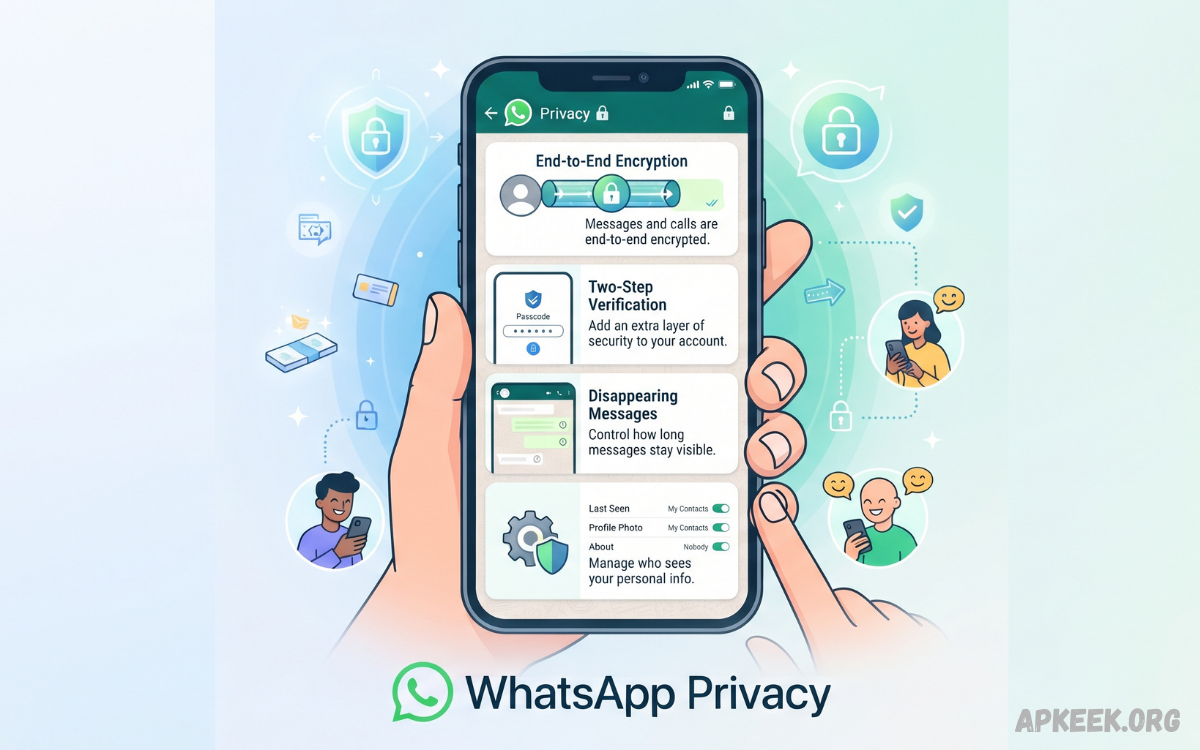
WhatsApp Privacy refers to the settings and security features that help users control who can view their personal information, contact them, or interact with their content. These controls cover profile details, messages, calls, status updates, groups, and other account activity.
Strong privacy settings can reduce unwanted exposure and improve control over a WhatsApp account. Understanding each option helps users choose settings based on personal preferences, communication habits, and security requirements.
Why WhatsApp Privacy Matters
WhatsApp is widely used for personal conversations, family communication, business discussions, media sharing, and group chats. Because an account can contain sensitive conversations and personal information, privacy controls play an important role in everyday digital security.
Privacy is not only about hiding messages. It also involves controlling profile visibility, managing unknown contacts, limiting group invitations, protecting linked devices, and reducing unnecessary access to account information.
WhatsApp End-to-End Encryption
WhatsApp uses end-to-end encryption for personal messages and calls. This security model keeps conversation contents protected while traveling between participants, so ordinary network intermediaries can’t read them.
End-to-end encryption provides an important layer of protection for communication. However, users should remember that privacy also depends on device security, account protection, backups, linked devices, and who receives shared information.
WhatsApp Privacy Settings
WhatsApp provides privacy settings that allow users to control the visibility of information such as profile photos, About details, status updates, and last seen information. Users can adjust these controls to suit their preferences.
Users should periodically review their privacy settings because communication habits can change over time. A setting suitable for close friends may not suit a public-facing business account or a large community group.
Last Seen and Online Privacy
The Last Seen feature can reveal when a person was last active on WhatsApp. Depending on the selected privacy configuration, users can limit who can see this information and reduce unnecessary visibility of their activity.
WhatsApp also offers controls for online visibility. Adjusting these options can provide greater privacy for users who prefer not to reveal their activity status whenever they use the application.
Profile Photo Privacy
A WhatsApp profile photo can provide identifying information, particularly when an account is used for personal communication. Privacy settings can help determine which contacts or users can view the selected profile image.
Users who prefer stronger privacy can restrict profile-photo visibility to trusted contacts. This approach can reduce unnecessary exposure while still allowing known people to identify the account.
About Information Privacy
The About section can contain a short description, personal statement, business information, or other details. Although this information may appear harmless, it can sometimes reveal more about a user than intended.
Reviewing About visibility is therefore useful when improving WhatsApp Privacy. Users can choose a suitable audience instead of making personal information broadly available to unknown contacts.
WhatsApp Status Privacy
WhatsApp Status lets users share photos, videos, text, GIFs, and other updates for a limited time. Privacy controls determine which contacts can view these updates.
Users should carefully select their Status audience before posting sensitive or personal content. Audience controls are especially useful when personal, professional, and family contacts share the same WhatsApp account.
Controlling WhatsApp Groups
WhatsApp groups can expose users to conversations, media, notifications, and participants they may not know personally. Group privacy controls help users decide who can add them to groups.
Restricting group invitations can reduce unwanted additions and improve account control. When an invitation arrives, users can review the group before deciding whether to participate.
WhatsApp Privacy and Unknown Contacts
Unknown numbers may contact users through individual messages, group invitations, or other interactions. Users should avoid sharing sensitive information simply because a message appears convincing or urgent.
If an unknown contact behaves suspiciously, WhatsApp offers options to block and report. These tools can help users reduce unwanted communication and protect their account from repeated contact.
Blocking Unwanted Contacts
Blocking prevents a selected contact from continuing ordinary direct communication through WhatsApp. This can help when someone repeatedly sends unwanted messages, suspicious links, or inappropriate content.
Combine blocking with reporting when the interaction appears abusive, fraudulent, or malicious. Users should also avoid responding to suspicious requests because engagement can encourage further attempts.
WhatsApp Calls and Privacy
WhatsApp calls are protected by the platform’s communication security model, but receiving calls from unknown numbers can still create an unwanted user experience. WhatsApp includes privacy controls intended to reduce exposure to unfamiliar callers.
Users who receive frequent unknown calls should review available call-related privacy options. Limiting unwanted calls can improve both privacy and the overall communication experience.
Silence Unknown Callers
The Silence Unknown Callers feature prevents calls from unknown numbers from ringing on the device. The calls can still appear in the call list, allowing users to review them later.
This feature can help people who receive frequent calls from unfamiliar numbers. It provides an additional layer of control without requiring users to block every unknown number individually.
WhatsApp Chat Lock
Chat Lock provides an additional way to protect selected conversations on a device. A locked conversation can be separated from the regular chat list and protected using device authentication or an associated security mechanism.
This feature can be especially useful when multiple people may have physical access to the same smartphone. Locking sensitive conversations reduces the chance of accidental exposure through the standard chat interface.
WhatsApp Disappearing Messages
Disappearing Messages let users configure messages to disappear automatically after a selected period. This can help reduce the amount of conversation history retained inside a chat.
Disappearing messages should not be treated as a guarantee that information can never be saved. Recipients may still capture, copy, photograph, or otherwise preserve content before it disappears.
View Once Media
View Once is designed for photos and videos that users do not want to remain permanently visible inside a normal chat. After the recipient opens the media, it disappears from the conversation.
Users should still exercise caution when sending sensitive content. Digital privacy depends on trust because recipients may use another device or other methods to preserve information.
WhatsApp Privacy for Backups
Chat backups deserve special attention because privacy doesn’t end with messages stored inside the app. Depending on the backup configuration, conversation data may also exist in cloud storage.
Users should review available backup security options and understand how encrypted backups work. Protecting the account used for backup storage is also important because weak account security can undermine otherwise strong privacy practices.
End-to-End Encrypted Backups
WhatsApp offers end-to-end encrypted backups as an additional security option for eligible backup configurations. This feature is designed to provide stronger protection for backed-up chat history.
Users should follow the setup instructions carefully and protect the recovery information associated with encrypted backups. Losing the required recovery information can create significant difficulties when restoring protected data.
Two-Step Verification
Two-step verification adds an extra layer of security to a WhatsApp account by requiring a PIN during certain registration steps. It can reduce the risk of unauthorized attempts to take control of an account.
Users should choose a PIN that is difficult for others to guess and avoid sharing it. Users should also protect an account’s email recovery information because access to associated accounts can affect overall security.
Protecting WhatsApp Registration
A WhatsApp account is closely connected to its registered phone number. Users should treat verification codes as confidential and never share them with strangers or unverified contacts.
Scammers may attempt to obtain verification codes by pretending to be friends, support representatives, relatives, or business contacts. A legitimate security practice is to keep verification codes private and independently verify unusual requests.
Linked Devices and WhatsApp Privacy
Linked devices allow WhatsApp accounts to operate across supported computers and other devices. While this feature is convenient, users should regularly check which devices are connected to their account.
If an unfamiliar device appears in the linked-device list, users should investigate immediately and remove access when appropriate. Reviewing linked devices is a simple but important part of maintaining account security.
WhatsApp Screen Privacy
Smartphone notifications can display message previews on the lock screen. Anyone who can see the screen may therefore gain access to part of a private conversation without opening WhatsApp.
Users concerned about privacy should review their smartphone’s notification settings. Disabling sensitive previews can help prevent accidental exposure in workplaces, public locations, or shared environments.
WhatsApp Privacy on Shared Devices
Using WhatsApp on a shared or accessible device creates additional privacy considerations. Another person with access to an unlocked device may be able to view conversations, media, notifications, or account information.
A strong device passcode, biometric authentication, automatic screen locking, and careful handling of linked devices can significantly improve protection. Users should avoid leaving unlocked devices unattended in public or shared environments.
Privacy When Sharing Personal Information
WhatsApp makes it easy to share phone numbers, addresses, documents, photographs, payment information, and other personal details. Convenience can sometimes lead users to disclose more information than necessary.
Before sending sensitive information, users should confirm the recipient and consider whether WhatsApp is an appropriate channel. Minimizing unnecessary personal data reduces the potential impact of accidental disclosure.
WhatsApp Privacy and Scams
Privacy and security are closely connected because scammers often use personal information to create convincing messages. A scammer may impersonate a family member, colleague, company representative, or other trusted person.
Users should independently verify unusual requests for money, passwords, verification codes, or confidential documents. Treat suspicious links carefully, especially when a message pressures you to act immediately.
Read Also: WhatsApp Updates: Latest Features, Privacy Improvements, and Essential Tips
Privacy in WhatsApp Communities
Communities can connect multiple groups under a broader organizational structure. This functionality can be useful for schools, workplaces, clubs, organizations, and other communities.
Because community participation can involve many users, members should understand what information other participants can see. Avoiding unnecessary personal information in public or large-group conversations can improve privacy.
WhatsApp Privacy for Business Users
Business users often communicate with customers, suppliers, employees, and partners through WhatsApp. Professional accounts may therefore require a different privacy strategy from personal accounts.
Businesses should minimize unnecessary exposure of personal information, protect account credentials, review linked devices, and train staff to recognize suspicious messages. Clear internal policies can reduce privacy and security risks.
Privacy When Using WhatsApp Web
WhatsApp Web provides convenient access to conversations through a computer browser. However, users should be cautious when accessing an account on shared or public computers.
Always verify the computer before linking an account and review active linked sessions regularly. Users should also sign out from computers that are no longer trusted or required.
Managing Photos and Videos
Photos and videos shared through WhatsApp may contain more information than users realize. Background locations, documents, faces, screens, and other visual details can reveal personal information.
Before sharing media, users should review the content carefully. Removing unnecessary sensitive details can reduce privacy risks, particularly when sending media to unfamiliar people or large groups.
Location Sharing Privacy
Location information can be highly sensitive because it may reveal where a person lives, works, travels, or spends time. WhatsApp provides location-sharing functionality that users should use thoughtfully.
Users should share their location only with trusted recipients and for legitimate purposes. After a temporary sharing need ends, reviewing active location-sharing sessions can help maintain better privacy control.
Privacy Tips for WhatsApp Users
The strongest WhatsApp Privacy strategy combines application settings with responsible digital behavior. No single privacy option can protect an account from every possible risk.
Use a strong device lock, enable two-step verification, review linked devices, control profile visibility, manage group permissions, and avoid sharing verification codes. Regular privacy reviews can also identify settings that no longer match current needs.
Best WhatsApp Privacy Settings
Users seeking stronger privacy can start by limiting Last Seen, Online status, Profile Photo, About information, and Status visibility to trusted contacts. Group permissions should also be configured to reduce unwanted invitations.
Additional protection can come from Chat Lock, disappearing messages, encrypted backups, two-step verification, and notification controls. The ideal configuration depends on how you use the account and what information needs protection.
How to Check WhatsApp Privacy Settings
Open WhatsApp, go to Settings, then select Privacy. Review the available options individually to determine who can access specific account information and communication features.
Users should also review security-related areas outside the main Privacy menu. Two-step verification, linked devices, chat backups, app locks, and smartphone security settings all contribute to overall WhatsApp account protection.
Common WhatsApp Privacy Mistakes
One common mistake is sharing verification codes with another person. Another is leaving an account logged into an unfamiliar computer or allowing sensitive notification previews to appear on a locked screen.
Users may also overlook group permissions, profile-photo visibility, and backup security. Reviewing these areas regularly can prevent small configuration issues from becoming larger privacy problems.
WhatsApp Privacy and Digital Safety
WhatsApp Privacy works best as part of a broader digital-safety strategy. Application settings can reduce exposure, but users must also protect their devices, accounts, passwords, recovery methods, and personal information.
Avoiding suspicious links, verifying unexpected requests, keeping applications updated, and using secure device authentication can strengthen the overall security environment. Privacy is an ongoing process, not a single setting.
Frequently Asked Questions
What is WhatsApp Privacy?
WhatsApp Privacy refers to the settings and security features that help users control who can see their personal information, contact them, add them to groups, and access certain communication features.
Is WhatsApp private and secure?
WhatsApp uses end-to-end encryption for personal messages and calls, helping protect communication content from being accessed while it is transmitted between participants.
How can I improve my WhatsApp Privacy?
You can improve WhatsApp Privacy by reviewing Last Seen, Online status, Profile Photo, About, Status, group permissions, linked devices, two-step verification, and backup security settings.
Can I hide my WhatsApp Last Seen?
Yes. WhatsApp provides privacy controls that allow users to choose who can see their Last Seen information and related online activity.
Can I hide my WhatsApp Profile Photo?
Yes. You can control who can view your Profile Photo through WhatsApp Privacy settings. Restricting visibility can help reduce unnecessary exposure of personal information.
How can I stop unknown people from adding me to WhatsApp groups?
WhatsApp provides group privacy settings that allow users to control who can add them to groups. Adjusting these settings can reduce unwanted group invitations.
What is WhatsApp Chat Lock?
WhatsApp Chat Lock is a privacy feature that helps protect selected conversations by moving them into a protected area that requires device authentication or another supported security method.
Are WhatsApp disappearing messages completely private?
Disappearing messages can reduce the amount of chat history retained in a conversation, but they do not guarantee that recipients cannot preserve the information through screenshots, recordings, photographs, or other methods.
How does WhatsApp two-step verification protect my account?
Two-step verification adds an extra security layer by requiring a PIN during certain account registration processes. It can help protect an account from unauthorized registration attempts.
Should I check my WhatsApp Privacy settings regularly?
Yes. Regular privacy reviews are recommended because your contacts, devices, communication habits, and security requirements can change over time.
Conclusion
WhatsApp Privacy gives users meaningful control over how personal information and communication are exposed. Features such as end-to-end encryption, privacy controls, Chat Lock, disappearing messages, encrypted backups, and two-step verification can provide multiple layers of protection.
For stronger privacy, users should combine these features with careful digital habits. Regularly checking account settings, linked devices, group permissions, notification previews, and backup security can help keep personal conversations and information better protected.
